
Whether you need to record a voice-over, generate a synthetic narration, produce a podcast, or find the perfect background music, this guide covers the best free and paid options for content creators.
Free Sound Resources
These are the tools and resources you can get for free (focusing on audio-only tools, video editing software with sound features will be covered on another page):
Tool | Best For |
• Audacity | Open-source audio editor and recorder for Windows/Mac/Linux. Great for recording voice-overs, cutting and mixing tracks, and basic noise reduction. |
Free music creation studio for Mac/iOS. Ideal for beginners making music or podcasts with its easy multi-track interface and built-in loops. | |
• BandLab | Cloud-based DAW (Digital Audio Workstation) that runs in your browser. Perfect for collaborative music production or podcast editing with a free account. |
Large library of royalty-free music and sound effects. All content is free for commercial use (just avoid the non-free “iStock” results). | |
• Bensound | Curated collection of free music tracks. Great for videos or podcasts; free to use with attribution (paid plans available for additional tracks/no attribution). |
Community-driven sound effect library. Useful for finding niche sound effects (most are free under Creative Commons; check if attribution is required). | |
• TTSMaker | Free text-to-speech tool supporting dozens of languages. Good for generating basic AI voice narration without cost (20,000 character/week limit, some voices unlimited). |
These services were free when this page was published (May 2025). This may change over time.
Free Credits
Many paid sound platforms listed below offer free credits so you can test the software before committing to a subscription. These free tiers can be surprisingly generous and are perfect for small projects or trying out tools to see which one fits your needs:
- ElevenLabs gives you 10,000 characters (about 15 minutes of voice generation) free each month on the Starter plan.
- WellSaid offers a free trial with 50 voiceover clips (about 5–10 minutes total depending on clip length).
- Play.ht, LOVO.ai, Murf.ai, and others offer free trials with a limited number of voice generations or download credits.
- TTSMaker offers up to 20,000 characters per week completely free (with some voices unlimited).
Tools by Use Case
Choosing the right audio tool depends on what you’re trying to accomplish. This section breaks down the top options by use case, to help you find the tools that best fit your needs and workflow:
AI Music & Sound Generation
AI can create music and soundscapes tailored to your needs. These tools won’t replace a human composer for a big project, but they’re fantastic for generating royalty-free background music, quick jingles, or inspiration for your own compositions:
Software | Best For | Starting Price |
A web-based tool that can generate full songs with vocals, instruments, and even lyrics. It offers different modes and produces 3-minute songs. Great for getting a unique track for a video or podcast intro without any musical skills. | Free credits + paid plans | |
An online tool that creates full songs from your lyrics or text prompts. Offers real-time previews and lets you customize tempo, key, and style to fine-tune the result. | Free credits + paid plans | |
AIVA excels at creating soundtrack-style music (think orchestral pieces, piano compositions, ambient scores). You can choose a preset style and AIVA will compose an original piece. You get MIDI and audio outputs, which you can tweak or orchestrate further if you want. | Free plan available; paid plans start at $15/mo | |
• Mureka | Specializes in crafting catchy, modern-style tracks for videos, podcasts, and social media. Mureka generates original compositions based on your chosen mood and genre. You can download the audio and fine-tune it or layer vocals and effects to make it your own. | Free plan available; paid plans start at $10/month |
• Boomy | Designed for casual users to create custom songs. You pick a genre or mood, and Boomy’s AI generates a song in that style. You can then adjust the mix or swap out instruments. A fun aspect of Boomy is that you can release the songs to streaming services – some users even earn royalties from AI-generated music! | Free (25 song saves); $9.99/mo (Creator) |
• Mubert | Generates endless music streams or tracks based on mood and genre inputs. Useful for streamers, app developers, or anyone who needs background music that won’t get flagged (Mubert’s music is royalty-free for content creators under their license). | Freemium model; pricing based on usage |
• Soundraw | Offers AI-generated music that you can customize. It will create a piece of music and then let you rearrange sections, change the intensity, or swap instrument layers. This hybrid approach (AI + your input) works well for getting exactly the right length and mood of music for, say, a video background. It operates on a subscription model with unlimited downloads for subscribers. | $11/mo (Creator plan) |
Prices listed here reflect the publication date of this page (May 2025) and may change over time.
Beyond music, there are experimental AI tools for sound design as well. For example, Riffusion generates sounds from text prompts (visualizing audio as images), and Microsoft’s VALL-E (research) can mimic a voice with just seconds of audio. These are cutting-edge and not widely available yet, but they hint at a future where customizing any sound might be as easy as typing a description.
AI Voice Tools
(Text-to-Speech & Voice Cloning)
Artificial intelligence is revolutionizing how we create audio. Need a voiceover but don’t want to get behind the mic? AI voice generators can produce spoken audio from text that sounds increasingly natural. They’re great for narration, voiceovers in multiple languages, or creating different character voices. These tools even allow custom voice cloning for a consistent narrator or brand voice.
Software | Best For | Starting Price |
Often regarded as the gold standard for realistic AI voices. It captures nuanced emotions and speaking styles, making it ideal for storytelling or audiobook narration. Also offers voice cloning: give it a short sample of a voice, and it can speak any text in that voice. (Supports English and 20+ other languages with natural accents.) | Free limited use, paid plans from ~$5/mo | |
• WellSaid | High-quality text-to-speech platform used by many companies for e-learning, corporate videos, and podcast production. Offers ultra-realistic voices, team collaboration features, and scalable API access. WellSaid’s voice avatars are often indistinguishable from human narrators. | Paid plans only; starts around ~$49/mo |
900+ studio-quality voices across 140+ languages. Known for high-quality output suitable for professional use. Also supports cross-language voice cloning, meaning you can clone a voice in one language and have it speak another. Great for multinational businesses or content creators who need multilingual voiceovers. | Free trial, paid plans from ~$29/mo | |
Feature-rich TTS with 500+ voices and and emotional tones (you can choose tones like cheerful, sad, angry for certain voice models). Supports cloning as well and even provides a video editor for adding AI voiceovers directly to videos. It’s popular for marketing content, YouTube narration, and indie game developers needing character voices. | Free trial, paid plans from ~$30/mo | |
• Murf.ai | Focused on business, training, and marketing use cases, it generate voiceovers and sync them with presentation slides or video. It has 200+ voices in 20 languages and offers useful controls like pitch, speed adjustments, and pronunciations. Teams like it for collaboration (e.g., creating e-learning modules). | Free trial, paid plans from ~$19/mo |
Known for its advanced voice cloning and real-time generation. Resemble can take an audio recording of a person and create a custom AI voice with that exact tone. It even allows emotion tags. You can tell the voice to speak with a certain emotion (happy, frustrated, excited, etc.). This is a go-to for game developers and brands creating a unique voice persona. | Custom pricing | |
A text-to-speech app popular with readers that also offers an AI voiceover service. It has a handy mobile app and can generate narrations from documents or web articles. With a premium plan, you can clone your own voice or choose from high-quality narrator styles (useful for turning blog posts into audio or creating training narrations). | Free app + paid plans | |
• TTSMaker | Simple online TTS for quick needs; supports many languages using basic neural voices (downloadable audio). 100% free (with weekly character limits). | Free |
Prices listed here reflect the publication date of this page (May 2025) and may change over time.
Keep in mind: While AI voices are incredibly lifelike now, mixing in some human touch (like manual timing adjustments or background music) can make the result even more engaging. Always review the output, especially for pronunciation of names or acronyms, which might need tweaking via phonetic spelling or the tool’s pronunciation editor.
Voice-over Recording & Editing
If you plan to record your own voice (or someone else’s) and edit it, these tools will help you capture clean audio and polish it:
Software | Best For | Starting Price |
• Audacity | Recording live audio and straightforward editing on a budget. Supports multi-track editing, noise reduction, and works on all desktop platforms. | Free |
Easy voice or music recording on Mac/iPhone. User-friendly multi-track editing with music loops, great for beginners adding background music to voiceovers. | Free (Mac/iOS) | |
Industry-standard audio editor for professionals. Excellent for noise cleanup, mixing, and integrates with Adobe Premiere for video projects. | ~$20.99/mo (Subscription) | |
• Acoust | Professional audio editor known for its intuitive interface and powerful restoration tools. Acoust offers high-quality noise reduction, spectral editing, batch processing, and VST plugin support. | ~$199 one-time license (Standard); ~$399 (Premium) |
• Descript | AI-assisted podcast/voice editing via text transcript. Remove filler words with one click and even use Overdub to generate new voice narration in your own voice. | Free plan; paid plans start at $12/mo. |
• Clipto | Clipto is an AI-powered transcription tool that converts audio and video files into text with up to 99% accuracy. It supports over 99 languages and integrates seamlessly with platforms like Zoom and Adobe Premiere, making it ideal for content creators, journalists, and businesses. | Free 7-day trial; paid plans start at $8.99/mo. |
• TTSMaker | Simple online TTS for quick needs; supports many languages using basic neural voices (downloadable audio). 100% free(with weekly character limits). | Free |
Prices listed here reflect the publication date of this page (May 2025) and may change over time.
Tip: If you have a rough voice recording that needs cleanup, try Adobe Podcast – Enhance Speech (a free web tool as of 2025). It uses AI to remove background noise and studio-fy your audio in one click. Tools like these can save tons of editing time by improving clarity automatically.
Podcast Production
For multi-track recording and editing of podcasts (especially with multiple speakers or episodes workflow), consider these tools. They help with recording, editing, and often leveling speech for a polished podcast:
Software | Best For | Starting Price |
AI-powered podcast creation from written documents. Generates a synthesis from various sources, including books, posts and websites. It turns it into a dialog, then generates two human-like AI voices (a man and a woman) enacting that dialog with realistic emotional responses. Great for blog-to-podcast workflows. | Free experimental tool (as of 2025) | |
Easy multi-track podcast creation on Mac/iPhone. Record, edit, and mix voice and music in an intuitive interface. | Free (Mac/iOS) | |
• Audacity | Basic multi-track podcast editing for beginners. You can record multiple microphones (one at a time) and manually cut, splice, and mix your podcast episodes. | Free |
• Reaper | Full-featured DAW that’s budget-friendly. Popular among podcasters for its flexibility (supports VST plugins for effects) and one-time affordable license. | ~$60 one-time license |
Professional-level podcast post-production. Advanced noise reduction, batch processing, and mastering tools. | ~$20.99/mo | |
Web-based AI audio editor from Adobe. Clean up voices, remove noise, and improve clarity automatically; great for podcasters wanting studio-quality sound with zero editing skills. | Free beta (as of 2025) | |
• Acoust | A favorite of podcasters and audio engineers looking for a one-time license alternative to Adobe Audition. | ~$199 one-time license; ~$399 (Premium) |
Specialized podcast editing software with automatic audio leveling and voice profiles. Ideal for journalists and podcasters focused on storytelling. | ~$12/mo (Subscription) |
Prices listed here reflect the publication date of this page (May 2025) and may change over time.
For remote interviews, tools like Riverside.fm, Zencastr, or SquadCast let you record guests over the internet in high quality (each participant is recorded locally for clear audio). You can use these in combination with the editors above – record on Riverside, then edit in Audacity/Reaper/etc. Many of these services have free tiers or trials, with paid plans for higher quality and longer sessions.
Also worth a mention is Auphonic (free for 2 hours/month): a handy AI service that automatically levels audio, balances volumes between speakers, and exports final mastered files. It’s often used after editing to give your podcast a consistent, professional sound.
Music Mixing & Mastering
When working with music, whether it’s mixing a background score, editing music tracks, or mastering audio, you’ll need a capable DAW or specialized tool. Below are options for different skill levels:
Software | Best For | Starting Price |
Entry-level music production on Mac. Drag-and-drop music loops, virtual instruments, and basic mixing tools make it great for creating simple background music or jingles. | Free (Mac/iOS) | |
• LMMS | Open-source music making on Windows/Linux. Ideal for EDM or game music creators on a budget; offers MIDI support, synth plugins, and song mixing features. | Free |
Popular DAW for beat-making and electronic music. Comes with a step sequencer and lots of effects; favored by beginners and pros alike for its lifetime free updates. | ~$99 one-time (Fruity Edition) | |
Professional music production on Mac. Offers a full suite of mixing/mastering plugins and a huge sound library; excellent for songwriting, scoring, and high-quality mixing. | ~$199 one-time (Mac/iOS) | |
Live performance and remix-oriented DAW (Win/Mac). Great for electronic music producers or DJs who want to improvise; also powerful for studio mixing and sound design. | ~$99 (Intro Edition) |
Prices listed here reflect the publication date of this page (May 2025) and may change over time.
If you’re new to mixing, also look at BandLab’s free web-based studio (mentioned above). It has built-in guitar/bass amps, vocal effects, and even mastering presets, all in the browser. For final mastering (making a track sound polished and loud), services like Landr use AI to automatically master your music (for a fee), which can be handy for non-engineers.
In summary
There’s a world of sound tools out there, from classic recording software to AI-powered generators. Many offer free tiers or trials, so you can experiment and find what fits your workflow. The best tool is the one that meets your needs and that you feel comfortable using. Don’t hesitate to try a few and mix them in your projects. Audio creation is a craft, but with these modern tools, it’s more accessible than ever to everyone working online. Enjoy creating your sonic masterpiece!
You might also like:

Words that are mine
Reading Time: 2 minutesAfter months of writing mostly for algorithms and sales funnels, I stopped obsessing over online income and started writing in my own voice.

Eight months chasing a mirage
Reading Time: 3 minutesEight months in, I’m changing course. I’m going back to casual blogging and stepping away from the commercial / affiliate angle. The pressure’s off, and I finally have my life back.
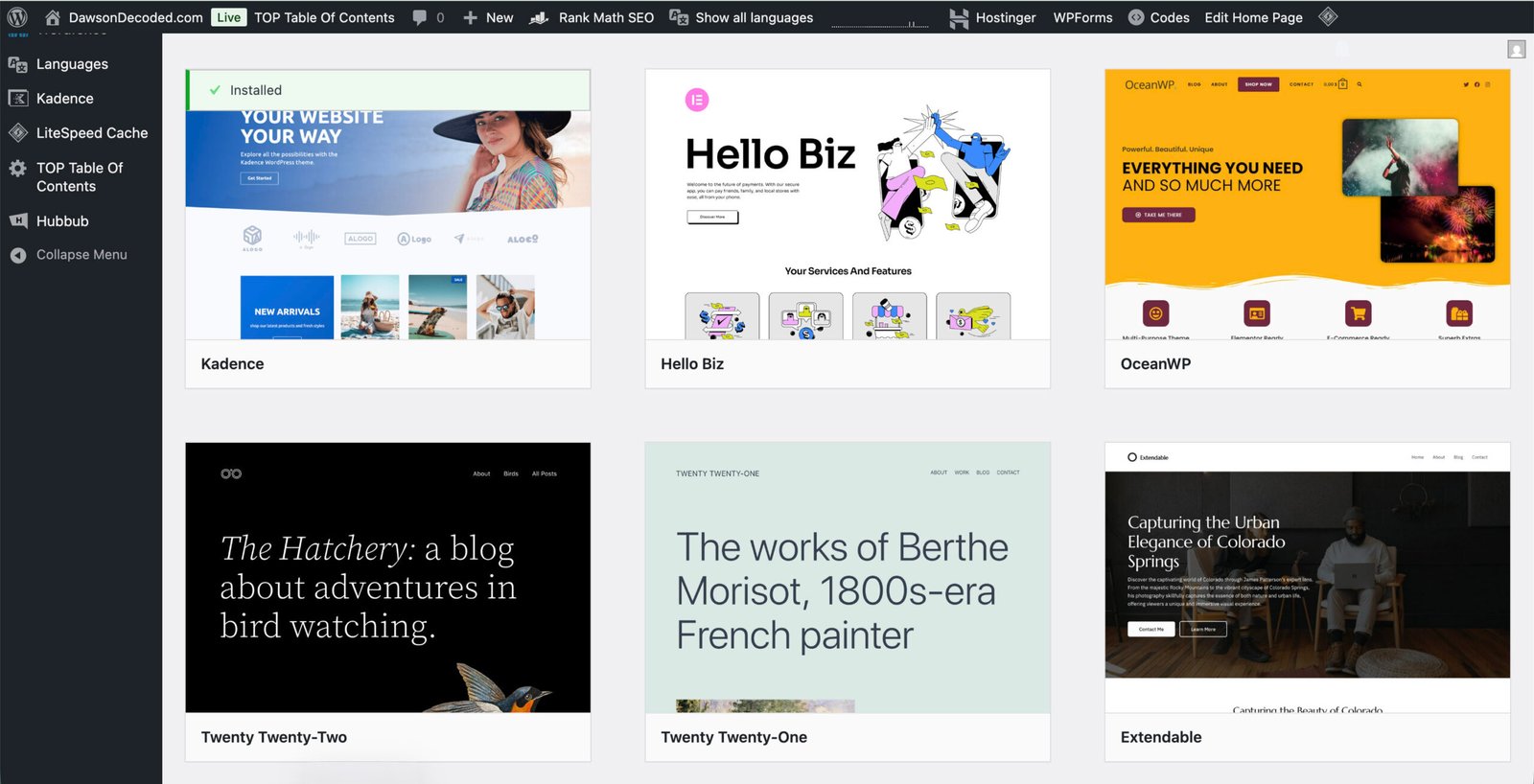
How to start a blog and find your first readers (part 3)
Reading Time: 9 minutesMake it look and feel professional: pick a lightweight theme, set a basic brand kit, and publish the must‑have pages.

How to fact-check your blog post
Reading Time: 5 minutesFact-checking protects both you and your readers. This simple process allows you to separate facts from opinions, verify claims, and add safeguards so your published content remains accurate, credible, and trustworthy.

Can you still make a living from a blog in 2025?
Reading Time: 5 minutesBetween viral promises and reality, can a blog still generate a viable income in 2025? Here’s what the numbers say.

Blogging with AI
Reading Time: 4 minutesAI can speed up ideas, drafts, and edits, but it should assist rather than replace you. Keep your voice, verify facts, and add your perspective so posts stay authentic and useful.

How to start a blog and find your first readers (part 2)
Reading Time: 8 minutesIn Part 2 of this beginner’s guide, we move from idea to reality by getting your blog online. You’ll learn what domains and hosting actually are, and how to install WordPress in just a few clicks.
From BGE to “Launch to $10K”, Enfroy’s strategic shift signals the end of SEO-first blogging
Reading Time: 4 minutesAs of November 2025, BGE runs as a free masterclass and Enfroy funnels to Launch to $10K. With AI Overviews reducing clicks, commercial blogging is rarely a standalone model anymore.

How to start a blog and find your first readers (part 1)
Reading Time: 6 minutesLearn how to choose a blog niche you’ll love and a name that can grow with you, the first step in building a successful blog.

The dark side of online income: how scammers are using AI and social media to make millions
Reading Time: 7 minutesScammers use AI and social media ads to create fake funnels that mimic legitimate ones. This post explains how they work and what ethical marketers can learn.